
Best Business VPN of 2026: Secure Solutions for All Company Sizes

A robust business VPN acts as a shield for company data, enabling secure connectivity even across cloud environments.
🔍 TL;DR – Best Business VPNs at a Glance
In a hurry? Here’s a quick look at our top VPN picks and what makes each one stand out for business use:
- 🚀 ExpressVPN
✅ Blazing-fast speeds with Lightway protocol
✅ Excellent for solo pros and very small teams
✅ Ultra-simple apps and rock-solid security
🔗 Try ExpressVPN for your business - 🔐 NordLayer (NordVPN)
✅ Built for businesses of all sizes
✅ Easy user management + SSO & MFA
✅ Global server network with AES-256 encryption
🔗 Explore NordLayer plans - 💸 Surfshark
✅ Budget-friendly with unlimited devices
✅ Includes ad blocker & double VPN
✅ Great for freelancers or micro-teams
🔗 See Surfshark deals
In today’s digital-first workplace, a Business VPN (Virtual Private Network) is essential for organizations of all sizes. With remote work now mainstream, businesses need VPNs to encrypt data and provide safe access to company systems from anywhere.
Cyber threats are ever-present – the average data breach for companies <500 employees costs over $3.3 million – so investing in VPN security is a no-brainer. In fact, 73% of companies rely on VPN connections to secure remote access to apps and tools.
This comprehensive guide will explain what makes business VPNs different, key features to look for, use cases across industries, and compare the best business VPN services in 2025. Whether you run a small startup or a global enterprise, you’ll find solutions tailored to your needs.
Selecting the most suitable VPN service among myriad providers can be daunting. We have analyzed 16 leading VPN providers and compiled this list of the top 10 business VPNs in 2026.
ExpressVPN

Overall score: 9.8
- Servers in 105 countries
- Over 3,000 servers
- Unlimited speeds
- Connect up to 14 devices simultaneously
- 24/7 live-chat assistance
- 30-day money-back guarantee
30-day money-back guarantee
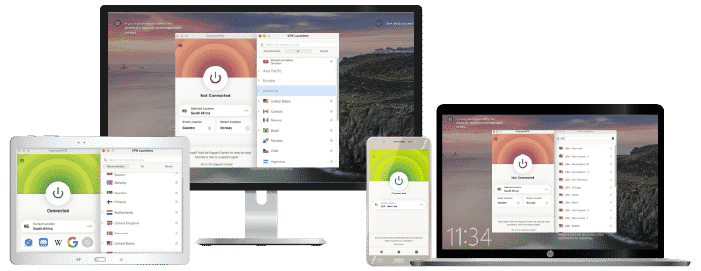
ExpressVPN as a top choice for individuals or tiny teams (1-3 people) who need a reliable VPN primarily for secure internet access. ExpressVPN doesn’t have a specialized business plan or admin platform – it’s a consumer VPN – yet its performance and security are so strong that a solo consultant or entrepreneur might prefer it to a business VPN that’s overkill for one person.
For a single user, ExpressVPN offers a lot of convenience: apps for every platform (Windows, Mac, Linux, iOS, Android, even BlackBerry and routers), and features like Split Tunneling (choose which apps use the VPN), an automatic kill switch, and even a built-in password manager and Threat Manager (tracker blocker) included. There’s no concept of user management since each subscription is tied to one user, but you can use it on up to 5 devices simultaneously. If you have a couple of team members, each would need their own subscription or you could opt for a plan like the family plan to share connections.
Use Cases: Independent professionals, freelancers, or very small startups might use ExpressVPN simply to secure their internet connections and remote work. For example, if you’re a freelance designer often working from cafes, using ExpressVPN on your laptop and phone can encrypt your traffic and also allow accessing region-locked content (useful if you travel abroad but need to connect to services back home). Small teams that don’t require internal network sharing – say a 3-person marketing agency using only cloud apps – could each use a service like ExpressVPN or another top consumer VPN to ensure client data and comms are safe on the go. It’s also an option for those who want a VPN that doubles for personal use (streaming, etc.) since many business VPNs don’t prioritize things like Netflix access, whereas ExpressVPN does.
✅Pros: Top-tier security and speed performance (one of the fastest VPNs); extremely easy to use – great for non-technical users; works in restrictive networks (handy if traveling to countries with VPN blocks); 24/7 live support is excellent; no configuration needed out of the box.
❌Cons: No multi-user management – not suitable once you need to manage accounts beyond a handful. Pricey if you needed, say, 10 people to all get accounts. Also, ExpressVPN (and similar consumer VPNs like Surfshark, PIA, etc.) are mainly for securing internet access, not for accessing your company’s internal LAN or files – so they won’t help if you need a VPN into a private network (unless you host those resources elsewhere and connect via the internet). Use this category of VPN only if your needs are purely secure internet for each individual.
Best offer for businesses: $3.49/month (Save 73% + 4 Months FREE)
30-day money-back guarantee
NordVPN
Overall score: 9.6
- 8,700+ servers available in 129 countries
- Connect up to 10 devices simultaneously
- Great security features
- Verified no-logs policy
- Unblocks streaming platforms
30-day money-back guarantee
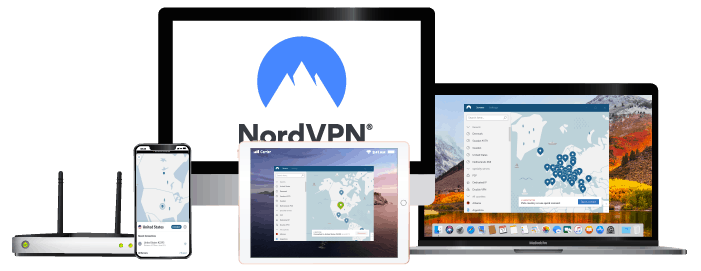
NordLayer (formerly NordVPN Teams) is a top choice for businesses due to its well-rounded feature set, strong security, and scalability. It’s built by Nord Security (the team behind NordVPN) and tailored for organizations. Whether you’re a small business or a large enterprise, NordLayer’s tiered plans can accommodate you, starting from 5-user packages.
Key Features: NordLayer offers top-notch security – all data is encrypted with AES-256, and it supports modern protocols (NordLynx, an optimized WireGuard, as well as OpenVPN). Unique features include double VPN servers (route through two locations for extra encryption) and an automatic kill switch to prevent any traffic leaks. The platform has a centralized control panel where admins can provision user accounts, create user groups, and manage permissions easily. Crucially, NordLayer supports Single Sign-On (SSO) integration with popular identity providers and Multi-Factor Authentication, enhancing login security for all users.
Use Cases: NordLayer’s flexibility makes it suitable for small-to-mid businesses looking for ease of use, as well as larger companies that need advanced controls. A tech startup can deploy NordLayer in minutes to secure their remote developers, while an enterprise can integrate it with Active Directory and use its network segmentation feature to isolate departments. It’s also great for businesses that want fixed IP addresses or gateway servers for certain locations – NordLayer provides these as add-ons, which can help with IP whitelisting for cloud services.
✅Pros: Excellent security pedigree (based on NordVPN infrastructure), easy management, lots of global servers, scalable plans, many security extras (MFA, endpoint management options).
❌Cons: Some advanced features (like dedicated servers or advanced SSO options) are only in higher plans; however, the core offering is solid with few downsides noted besides occasional server speed variability
Best offer: $3.39/month (Save 70%)
30-day money-back guarantee
Surfshark

Overall score: 9.5
- 4,500+ servers in 100+ countries
- Allows unlimited simultaneous connections
- Integrates stealth mode
- Multihop feature available
- Webcam protection from unauthorized apps
30-day money-back guarantee
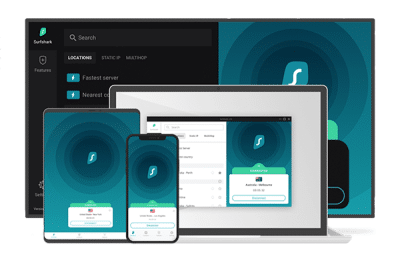
Surfshark is primarily known as a powerful consumer VPN, but its generous unlimited device support, strong security suite, and low price make it a surprisingly viable option for freelancers, startups, and small businesses that don’t require centralized user management. It’s fast, affordable, and packed with privacy-focused features, making it a top choice for teams of 1–5 users that prioritize cost-effectiveness without compromising security.
Key Features: Surfshark uses AES-256-GCM encryption and supports modern protocols like WireGuard, OpenVPN, and IKEv2/IPsec. It includes a built-in kill switch, DNS leak protection, and private DNS on each server. Surfshark also offers MultiHop (double VPN), split tunneling, and an optional Static IP feature. One standout tool is CleanWeb, a real-time ad, tracker, and malware blocker. There’s no dedicated admin panel, but users get apps for all major platforms (Windows, macOS, Linux, iOS, Android, routers, and browser extensions), and the service allows unlimited simultaneous device connections per account – a rare perk at this price point.
Use Cases: Surfshark is ideal for solo professionals, entrepreneurs, and small teams who want secure browsing, encrypted communication, and access to global tools while working remotely. For example, a digital agency with five freelancers could share a single account across all devices, enjoying encrypted connections while working from cafes or co-working spaces. It’s also a good VPN for consultants who need to regularly change their IP location for testing, research, or accessing geo-specific resources. While it lacks business-level user controls, it’s highly usable for lightweight team setups without complex networking needs.
Pros:
✔ Very affordable (from ~$2.49/month on long plans)
✔ Unlimited devices per subscription
✔ Strong security features including CleanWeb and MultiHop
✔ Easy-to-use apps across all platforms
✔ Good performance with modern WireGuard protocol
Cons:
✖ No centralized admin or user management
✖ Not ideal for compliance-heavy businesses
✖ Email support only on basic plans (live chat available for setup)
Best offer: $1.99/month (Save 87% + 3 Months Free)
30-day money-back guarantee
PrivateInternetAccess
Overall score: 9.2
- Great unblocking ability
- Supports WireGuard protocol
- Decent streaming speed
- Affordable subscription offers
Private Internet Access (PIA) has been a staple in the VPN industry for over a decade, earning trust for its strict no-logs policy and open-source apps. While traditionally consumer-focused, PIA now offers dedicated business solutions that make it a compelling option for small businesses, remote teams, or privacy-conscious organizations looking for low-cost VPN protection and basic team features.
Key Features: PIA offers AES-128 and AES-256 encryption with full customization, supports OpenVPN and WireGuard protocols, and includes features like a kill switch, DNS leak protection, and split tunneling. Business users get access to PIA’s Admin Hub, a portal where they can manage billing, licenses, and team member access. While it doesn’t offer granular role-based access or advanced user controls like enterprise VPNs, the centralized license management makes it suitable for small teams. PIA has one of the largest server networks in the VPN space, with over 10,000 servers in 90+ countries, ensuring excellent global coverage.
Use Cases: PIA is a great fit for small businesses, startups, and nonprofits that need to equip a team with secure internet access on a tight budget. For instance, a small legal firm with a handful of remote employees can use PIA to ensure all communication and file transfers are encrypted, while benefiting from centralized billing. It’s also suited for developers and researchers working across IP-restricted platforms or needing a stable connection to various international regions. With open-source apps and low prices, it’s appealing for security-conscious teams that can manage without advanced admin features.
Pros:
✔ Very affordable (business plans start around ~$5–6/user/month)
✔ Centralized license management via Admin Hub
✔ Massive server network and reliable speeds
✔ Open-source apps and verified no-logs policy
✔ Strong encryption with customizable settings
Cons:
✖ Limited user role management or advanced admin controls
✖ Not ideal for regulated industries needing audit/compliance tools
✖ Interface slightly more technical for non-IT users
Best offer: $2.11/month (Save 83% + 2 months free)
What Is a Business VPN?
A virtual private network (VPN) is software that connects users’ devices to a server, permitting access to the internet via that server. A business VPN has additional features tailored for corporate use, such as dedicated IP addresses and team management consoles.
Businesses generally utilize two types of VPN connections: remote access VPNs and site-to-site VPNs. Remote access VPNs provide temporary external access to company resources, while site-to-site ones establish long-term encrypted links between offices or sites.
Why Your Business Needs a VPN: Benefits & Use Cases
Adopting a business VPN yields numerous benefits across industries. Below are some of the most common use cases and scenarios where a VPN proves invaluable:
- Secure Remote Work & BYOD:
With teams increasingly distributed, a VPN is the go-to solution for remote work security. Employees can safely connect to office networks from home, coworking spaces, or public Wi-Fi without exposing data. The VPN’s encrypted tunnel protects sensitive info even on unsecured networks. This is vital for any business with telecommuters or a Bring-Your-Own-Device policy, ensuring that client data, emails, and internal files remain confidential when accessed off-site. - Multi-Office and Hybrid Cloud Access:
Companies with multiple offices or cloud infrastructure use VPNs to unify their networks. A site-to-site VPN links branch offices to headquarters, enabling all locations to communicate as one secure network. Similarly, development teams can use VPN connections to access cloud servers or databases securely. This secure inter-office connectivity is critical in industries like finance or retail where regional offices need constant access to centralized systems. - Compliance in Regulated Industries:
Many sectors (healthcare, finance, legal, etc.) handle sensitive data subject to laws like HIPAA, GDPR or PCI-DSS. Encryption is often required or strongly recommended to protect data in transit. Business VPNs enforce high-grade encryption (typically AES-256) on all traffic, helping meet compliance requirements for protecting customer information. They also offer features like activity logs and access controls to support auditing and data governance. For example, a clinic can use a VPN to ensure patient records are only accessed through an encrypted channel, satisfying HIPAA network security guidelines. - Secure Third-Party & Contractor Access:
When giving consultants or partners access to your systems, a VPN provides a controlled gateway. Rather than opening up the entire network, you can use VPN user profiles to grant limited access to specific resources. This way, contractors connect securely and only to the parts of the network they need. All their activity is isolated and encrypted, reducing the risk of supply chain attacks. - Global Team Collaboration:
International teams benefit from VPNs by bypassing geo-restrictions and optimizing connectivity. For instance, a marketing team in Asia can VPN into a US server to view how a website appears to American customers. Developers traveling in countries with strict internet censorship can tunnel out via the VPN to access critical tools. A business VPN with servers across continents ensures that wherever your employees are, they can reach company apps with low latency and without regional blocks. - Enhanced Data Privacy & Security:
Fundamentally, business VPNs protect against cyber threats. They shield company data from eavesdropping, especially on public networks. Even if hackers intercept VPN-encrypted traffic, the data is gibberish thanks to strong ciphers like AES-256 and modern VPN protocols (OpenVPN, WireGuard, IPsec). Many VPNs also include kill switches that cut off internet access if the VPN drops, preventing any accidental exposure of IP addresses. This level of security and privacy is crucial for defending intellectual property and confidential communications from industrial espionage or cyberattacks.
Across these use cases, a business VPN functions as an affordable security layer that’s simpler than many alternatives. Rather than deploying complex private circuits or expecting employees to manage their own security, a VPN provides a turnkey solution: one app or client for the user, and comprehensive encryption + access control on the backend. No wonder VPNs top the list of remote work security measures – 74% of companies include VPN usage in their official remote work security policies.
Benefits (and Drawbacks) of Business VPNs
Understanding the potential benefits and drawbacks of business VPNs is crucial for informed decision-making.
Pro: Improved Network and Data Security
VPNs enable anonymous operation when needed, evading data collection efforts by various entities, including cybercriminals.
Pro: Remote Work Safety
With remote work comes increased risk of data breaches due to unsecured network connections. Utilizing a reliable business class VPN ensures safety when accessing sensitive company resources remotely.
Pro: Access Geo-Locked Content
VPNs circumvent geographical restrictions imposed on web content by appearing as if coming from another country, allowing access even in restrictive nations like Turkey or China.
Pro: Reduced Operational and Maintenance Costs
As an affordable cybersecurity solution, monthly fees for business class vpn services range from $3-$12 USD per user, making it an ideal option for organizations of all sizes.
Con: Slower Internet Speeds
Encryption processes used by VPNs can potentially reduce connection speeds and cause intermittent disconnections.
Con: Lack of Device Flexibility
While most popular VPNs support mainstream devices, older or niche operating systems may encounter compatibility issues.
Con: VPNs Don’t Guarantee Full Anonymity
Despite the primary purpose of VPNs being anonymity, users can still be exposed due to DNS leaks or disconnections. Additionally, VPN providers may share data with government entities under certain circumstances.
Con: Scalability Concerns
VPNs might not be suitable for businesses requiring continuous and heavy network traffic, as they can bottleneck parallel connections. Overcoming this limitation could necessitate significant investment that might not be feasible for all organizations.
Key Features to Look For in a Business VPN 2026
Not all VPN services are equal. When evaluating the best VPN for your business, pay attention to the following key features and capabilities:
🔒 Encryption & Protocols:
Strong encryption is non-negotiable. Look for AES-256 encryption which is the industry standard for security. Modern VPN protocols like OpenVPN, IKEv2, or WireGuard provide a good mix of security and performance – ensure the provider supports at least one of these. Steer clear of outdated or weak protocols. Some services even offer multi-hop (double VPN) encryption for extra security, routing traffic through two servers.
🗝️ Authentication & User Management:
A quality business VPN will include robust user authentication options. MFA (multi-factor auth) adds a one-time code or app prompt during login for improved security. SSO integration is highly desirable so employees can log in with existing corporate accounts (Azure AD, Google Workspace, Okta, etc.). Also consider how the VPN handles user provisioning – admin consoles should allow easy addition/removal of users, assignment of roles or groups, and visibility into user activity (last login time, active connections).
🌐 Server Network & Speed:
The number and location of VPN servers impacts performance. Providers geared for business often have hundreds or thousands of servers across dozens of countries. A large network means remote staff can connect to a nearby server for better speeds and also ensures redundancy if one server is down. Check the server locations match your team’s geography. Additionally, look for features like split tunneling (to route only certain traffic through VPN and not overload the connection) and claims about bandwidth. Many top VPNs can deliver high speeds even with encryption, especially if using modern protocols.
📱 Multi-Platform Support:
Your team will likely use a mix of devices – ensure the VPN supports all major platforms: Windows, macOS, Linux, iOS, Android at a minimum. Good business VPNs often provide dedicated apps or clients for each OS, plus options for routers or even browser extensions. The user experience should be simple, since not all employees are tech-savvy. Look for providers known for user-friendly interfaces and one-click connection, which minimizes training and IT support calls.
🔧 Advanced Security Features:
Beyond basics, certain advanced features set the best services apart. A kill switch that automatically blocks internet if VPN drops is critical for preventing accidental leaks. DNS leak protection ensures queries go through the encrypted tunnel. Some VPNs include malware or ad blocking (e.g., Windscribe’s R.O.B.E.R.T. feature to block malicious domains). Enterprise-oriented solutions might offer IP whitelisting, port control, or integration with endpoint security software. If regulatory compliance is a concern, check for security certifications or options for “always-on VPN” enforcement on devices.
🤝 Scalability & Team Features:
For growing businesses, your VPN solution should scale easily. Cloud-based VPN services (VPN-as-a-Service) let you add users or bandwidth on demand without dealing with hardware. Some offer team segmentation, letting you create multiple user groups or private gateways for different departments. Concurrent connection limits per user also matter – many business plans allow 5–10 devices per user account. Ensure the service can accommodate your organization’s size, whether it’s 5 users or 5,000.
💬 Support & Reliability:
Business users need reliable connectivity and fast support when issues arise. Evaluate the provider’s uptime and SLA (99%+ uptime is common for top services, sometimes backed by guarantees). Check if support is 24/7 and through what channels (email, live chat, phone). Enterprise plans often come with priority support or a dedicated account rep. Reading reviews about a provider’s support responsiveness can be eye-opening. In addition, consider the logging policy – a business VPN doesn’t typically need to hide your identity like a consumer one, but a no-logs or minimal-logs policy is still good practice so that sensitive connection data isn’t stored long-term.
By keeping these features in mind, you can better compare the options and select a VPN that meets your company’s technical requirements and budget. Now, let’s get to the core of our guide: the top business VPN services of 2025, compared and reviewed.
Get ExpressVPN to Protect Your Business!
How Much Does a Business VPN Cost?
Virtual Private Networks, or VPNs, have become crucial for businesses in today’s digital era. They ensure secure and private communication between employees and the company’s information network. Consequently, selecting an appropriate VPN service is crucial to safeguard data privacy and minimize cyber threats. In this article, we will discuss the cost of various business VPN services while considering factors that impact pricing.
Ultimately, the cost of a business VPN depends upon its specifications and related subscription packages offered by providers. While some companies present limited-functionality free versions or other incentives to tempt new customers, more comprehensive plans typically come at a higher price point ranging from $3 up to $20 per month based on our research. By keeping an eye out for promotional offers and leveraging free trials or money-back guarantees, businesses can make a more informed choice when selecting their preferred VPN service.
Subscription Plans
VPN providers typically offer monthly or yearly subscriptions with varying costs. These fees depend on factors such as server locations, speed, and security features offered. A free version with limited functionality may be provided by certain companies like TunnelBear.
Monthly Subscriptions
Businesses seeking shorter commitments can opt for monthly plans that generally range from $12.99 per month (NordVPN) upwards depending on the provider and package chosen.
Yearly Subscriptions
Those who prefer longer-term options can consider yearly subscriptions starting at approximately $3 to $5 per month based on our research across providers.
Biennial Plans
Purchasing plans spanning two years will often yield greater savings compared to shorter durations due to providers’ promotional offers.
Get ExpressVPN to Protect Your Business!
Money-Saving Tactics
Free Trials and Money-Back Guarantees
Many companies implement strategies to attract potential clients using free trials or money-back guarantees. These options provide a low-risk approach for users to test a given VPN service before committing financially.
Discounts and Promotions
Occasionally, certain providers may offer discounts on their subscription prices during limited-time promotions throughout the year; it is wise for businesses seeking affordable options to monitor these deals closely when selecting a plan.
Conclusion: Best Business VPNs for 2026
Choosing the best business VPN for your organization comes down to balancing security, ease of use, scalability, and cost. There is no one-size-fits-all answer – a small startup might prioritize simplicity and price, while an enterprise will focus on advanced security and integration with existing infrastructure. Here’s a quick recap:
- Small businesses (1–50 employees): Look for easy deployment and affordable per-user pricing. Top picks include user-friendly cloud VPNs like GoodAccess, NordLayer (for a more feature-rich option), or even using strong consumer VPNs like PIA/Surfshark for very tiny teams. These emphasize quick setup, basic admin consoles, and low cost per user.
- Mid-sized companies (50–500 employees): Aim for solutions that offer scalability and team management without overwhelming complexity. NordLayer and Perimeter 81 are excellent here, providing a balance of advanced features (SSO, dedicated gateways) with manageable UIs. Twingate can be introduced if zero trust is a priority. OpenVPN Cloud is also a viable middle-ground for those with IT resources.
- Enterprise (500+ employees or high-security demands): Focus on robust security and integration. Check Point/Perimeter 81 (Harmony Connect) with its full SASE capabilities, or Zscaler ZPA with zero trust, shine for large deployments. Traditional options like Cisco AnyConnect or newer Palo Alto GlobalProtect could be in the mix for those invested in specific vendor ecosystems. These typically require planning and possibly dedicated staff to manage, but offer the highest control and often compliance certifications.
One thing is clear: enabling secure remote access is now a must-have in virtually every industry – from tech to healthcare to finance. A business VPN not only protects data and communications from prying eyes, but also can improve productivity by enabling your team to work safely from anywhere. And as the stats show, most companies are on board with VPNs as a standard tool in their cybersecurity arsenal.
When implementing a VPN, don’t forget to accompany it with good policies and training. Ensure employees actually use the VPN for work tasks (studies have found many provided VPNs go unused due to inconvenience – address this by choosing user-friendly options or always-on solutions). Also, maintain the VPN – apply updates, rotate credentials or keys as needed, and monitor for any suspicious access.
By selecting one of the best business VPNs recommended above, you’ll be giving your organization a solid foundation of security for years to come. Secure connectivity empowers your workforce to collaborate freely and safely, which in turn drives the success of your business in our connected world. Here’s to safe and productive networking!
Get ExpressVPN to Protect Your Business!
Frequently Asked Questions (FAQs): Best Business VPNs
A business VPN is designed for multiple users and includes centralized management features like user permissions, Single Sign-On (SSO), and activity monitoring. Regular VPNs are typically for personal use, focusing on privacy and streaming access without multi-user control.
Yes, for very small teams or solo professionals, Surfshark or similar consumer VPNs can be a practical choice. However, if you need user management, compliance tools, or access control, a dedicated business VPN like NordLayer is recommended.
A VPN is a critical security layer, especially for remote access, but it should be combined with other tools like endpoint protection, strong passwords, MFA, and user training for full security coverage.
It depends on the provider. Some VPNs like NordLayer scale easily from 5 users to thousands. Enterprise VPNs like Zscaler or Perimeter 81 are designed for large organizations with 500+ users.
Some speed reduction is normal due to encryption overhead, but top-tier business VPNs use modern protocols like WireGuard to minimize performance impact. Choosing servers close to your location also helps.
Business VPNs typically start at $5–$10 per user per month. Pricing varies based on features, number of users, and contract length. Many providers offer free trials or starter plans for small teams.