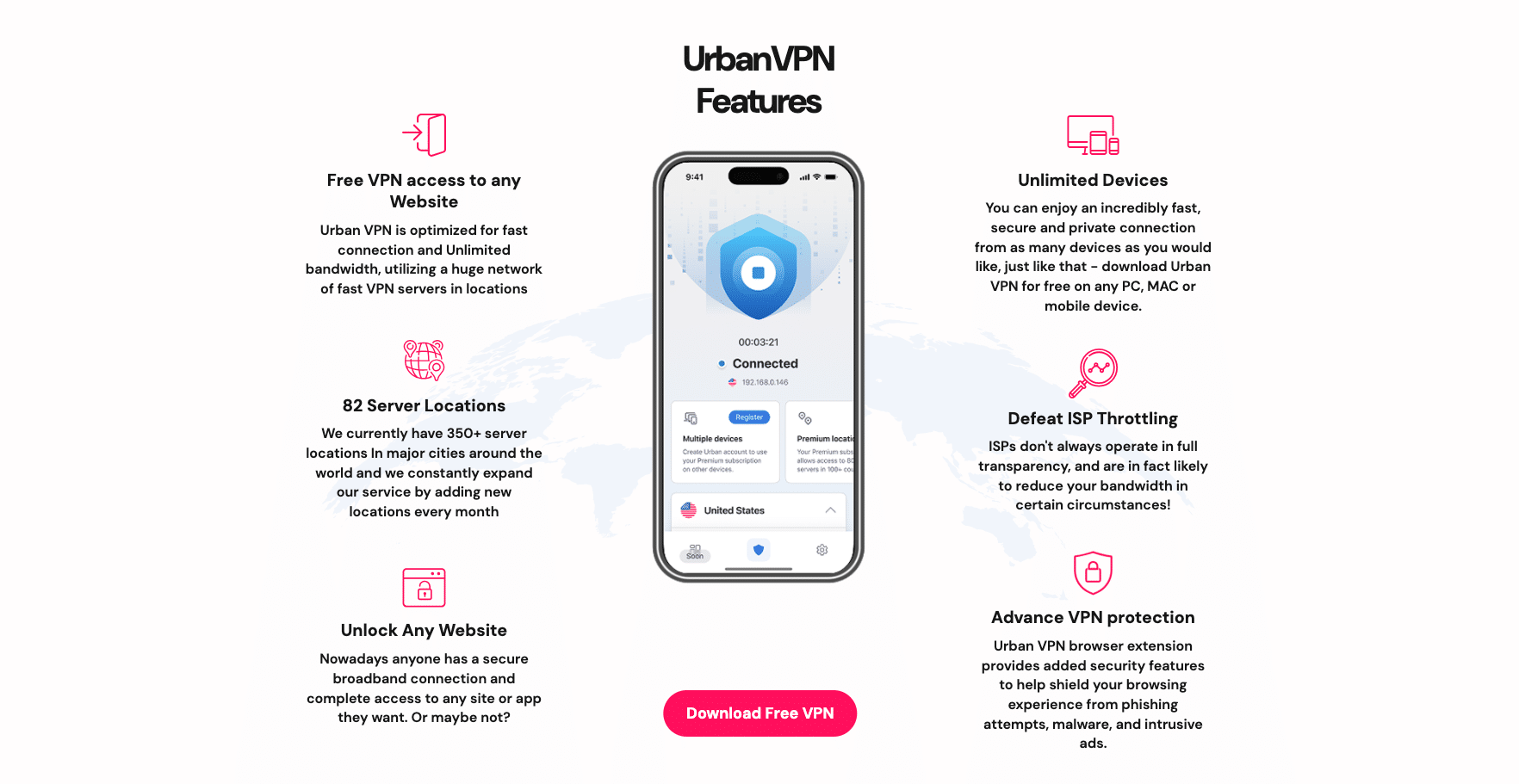


Urban VPN markets itself as “the only 100% free premium VPN,” offering unlimited bandwidth, unrestricted devices, and no signup or payment requirements for desktop users. This makes it highly accessible for users seeking quick, no-frills IP anonymization.
TL;DR – Urban VPN Review
Quick facts you should know before choosing Urban VPN.
- 100% free desktop extension with unlimited bandwidth and no signup.
- P2P network model routes traffic through other users. Raises privacy and legal exposure risks.
- Privacy concerns: data collection and sharing in policy; no independent audits. Not ideal for sensitive use.
- Speeds vary: OK on nearby servers, large slowdowns on long-distance routes.
- Streaming is hit-or-miss (major platforms often blocked).
- Premium plan adds dedicated servers, more locations, and up to 8 devices.
- Beginner-friendly apps but lack advanced features (e.g., no kill switch).
- Best for: short, non-sensitive tasks and basic geo-bypass.
Convenient but compromised: Use Urban VPN for quick, low-stakes tasks. Choose a trusted provider if privacy, streaming reliability, or speed truly matter.
Urban VPN Overview & First Impressions
Urban VPN presents itself as “the only 100% free premium VPN”, promising unlimited bandwidth, unrestricted devices, and no registration or payment requirements for desktop users. On paper, this sounds like the perfect deal for anyone who needs quick privacy protection without committing to a subscription.
⚠️The “completely free, no registration” applies only to the browser extension.
Urban VPN offers over 350+ server locations worldwide across 90+ countries, compatibility with all major platforms (Windows, macOS, Android, iOS, Chrome, Firefox, Edge), and bonus features such as built-in ad-blocking and anti-phishing tools in its browser extensions.
For users who simply want to mask their IP address to bypass basic geo-blocks or hide activity from their ISP, Urban VPN’s value proposition is immediately attractive. However, as with any free VPN service, the promise of “no cost” often comes with trade-offs-particularly in areas of privacy, performance, and transparency.

Get Started with Urban VPN for FREE!
How to Get UrbanVPN FREE!
- Go to the Chrome Web Store (or extensions store on your browser)
- Search for “Urban VPN”
- Download Extension
- Pin to your bookmarks bar for easy access
- Turn on & connect to servers worldwide!
Check out this step-by-step video guide & follow along!

Privacy & Security with Urban VPN
- Uses OpenVPN encryption, along with leak protection mechanisms.
- However, privacy is a significant concern:
- Based in the USA, a jurisdiction bound by surveillance agreements.
- Operates a P2P network, meaning your traffic may route through other users, posing potential privacy and legal risks.
- Intrusive data logging is evident-collects IPs, browsing history, and device information, often shared with third parties.
- No third-party audits or independent verification of its privacy claims
Urban VPN uses OpenVPN protocols along with basic encryption to shield your online activity. It also provides leak protection tools to ensure your IP and DNS information remain hidden while connected. On the surface, these are reassuring features for a free VPN.
However, digging deeper reveals some serious concerns. The provider is based in the United States, a country that is part of the Five Eyes intelligence-sharing alliance. This means that, under certain legal circumstances, Urban VPN could be compelled to hand over user data to government agencies.
Adding to the concern, Urban VPN operates on a peer-to-peer (P2P) network model. While this helps them provide a wide variety of IP addresses without building a massive server infrastructure, it also means your own internet connection could be used to route other users’ traffic. In practice, this raises security and legal risks, as you have no control over what is being transmitted through your connection.
The privacy policy is also troubling. Urban VPN collects IP addresses, browsing data, and device information, which it may share with third parties. This level of tracking is far beyond what most privacy-focused VPNs would consider acceptable. There’s also no independent audit or verification of their no-signup privacy claims. For those seeking anonymity or strong privacy guarantees, these factors make Urban VPN a risky choice.
How to Get Started with Urban VPN
Urban VPN makes it easy to start browsing securely. You can either install the free browser extension for instant access or download the full app if you want the Premium experience with more servers and devices.
🔹 Option 1: Install the Free Browser Extension
- Open the Chrome Web Store, Firefox Add-ons, or Edge Add-ons store.
- Search for “Urban VPN Proxy”.
- Click Add to Chrome / Firefox / Edge and confirm installation.
- Once installed, click the Urban VPN icon in your browser toolbar.
- Select a country from the server list and toggle the VPN on. 🎉 You’re connected!
✅ Best for quick, free protection directly in your browser.
🔹 Option 2: Download the Urban VPN App (Premium)
- Visit the Urban VPN Download page.
- Choose your platform: Windows, macOS, Android, or iOS.
- Download and install the app on your device.
- Create an account or log in if you’ve already subscribed to Premium.
- Open the app, pick a server location, and click Connect.
- You now have access to 652+ premium servers in 89 countries, faster speeds, and up to 8 devices simultaneously.
💡 Ideal for users who want better speeds, more server options, and full device coverage.
Speed & Performance
- Nearby servers often deliver decent speeds, thanks to the unlimited bandwidth promise
- Long-distance connections, especially to the US, suffer dramatic slowdowns-e.g., speeds dropping by up to 88%, making high-definition streaming or gaming unreliable
- Stability concerns: Frequent disconnections, sluggish server switching, and inconsistent uptime reported
One of Urban VPN’s biggest selling points is that it offers unlimited bandwidth. In practical use, connection speeds on nearby servers can be surprisingly decent for a free VPN. Simple tasks like browsing, checking email, or streaming in standard definition work without too much interruption.
Unfortunately, the performance drops sharply when connecting to long-distance servers. Speed tests show reductions of up to 80–88% in some cases, which makes high-definition streaming, video conferencing, or online gaming very difficult. Additionally, the service is prone to occasional disconnections, and switching servers can sometimes take significantly longer than with premium VPNs.
While Urban VPN might work fine for quick and casual use, it lacks the consistency and reliability needed for heavy data activities. If you plan to use a VPN regularly for streaming, torrenting, or remote work, these limitations will quickly become frustrating.
Urban VPN Price & Subscription Options
- Price: Free for desktop; mobile premium costs roughly $2–$3/month depending on term, but offers little added utility beyond a larger location pool
- Lack of refund policy or trial, except for a 7-day trial & 30-day money-back guarantee avaliable only on a 3-year subscription
- Given its shortcomings, better free and paid alternatives exist–Proton VPN (free plan avaliable), ExpressVPN, etc., offer stronger privacy, features, and trust assurances
Urban VPN is completely free for desktop users as a browser extension, which is its biggest selling point. On mobile, however, the free version is restricted, and the premium version costs around $2–$3 per month depending on the subscription length. The premium plan mainly offers access to more server locations, but does not necessarily address the core privacy and performance concerns.
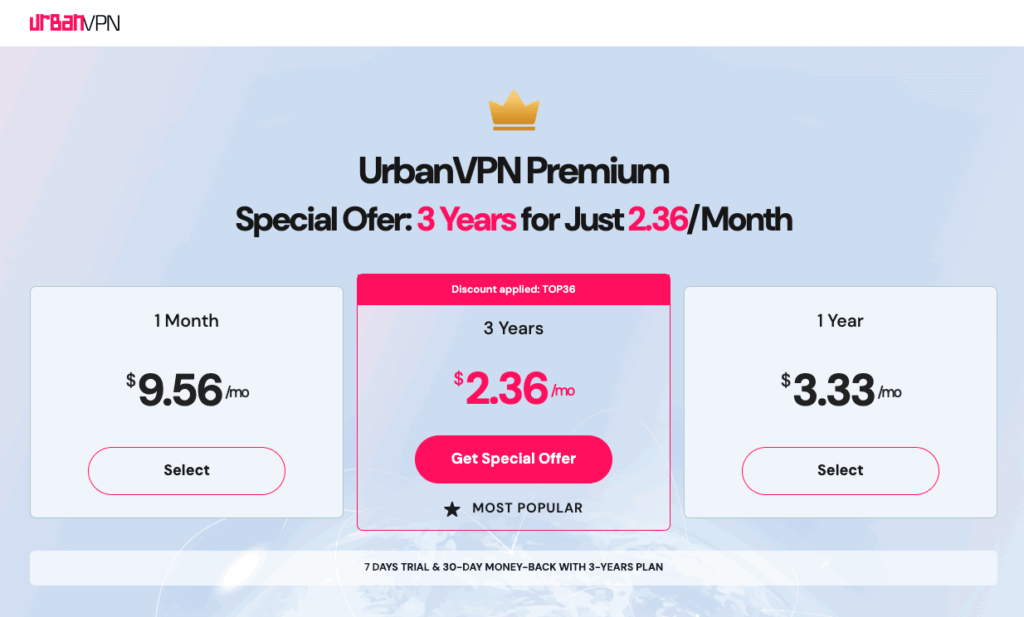
There is no traditional refund policy, and the mobile premium version comes with a 7-day free trial only if you commit to a 3-year plan. This setup is less flexible compared to many other VPNs, which typically offer 30-day money-back guarantees.
While Urban VPN might seem like a great budget-friendly choice, there are other free VPNs-such as Proton VPN or Windscribe-that offer more transparency, stronger privacy policies, and more reliable performance without charging for core features.
Urban VPN: Free vs Premium Plan Comparison
| Feature | Free Version | Premium Version |
|---|---|---|
| Price | Free forever (desktop extenson) | $2.36/month (3-year plan), $3.33/month (1-year plan) $9.56/month (1-month plan) |
| Server Access | 90+ global locations via peer-to-peer network | 652+ high-speed premium servers in 90 countries |
| Connection Model | Peer-to-peer (your IP may be shared with other users) | Dedicated premium servers (no P2P sharing) |
| Bandwidth Limits | Unlimited bandwidth | Unlimited bandwidth |
| Speed | Standard speeds; performance varies by distance and traffic load | Higher priority on dedicated servers; faster connections |
| Device Support | Unlimited devices on desktop only | Up to 8 devices simultaneously with account login |
| Streaming Support | Works sporadically with some platforms; most major services blocked | Slightly improved streaming access, but still inconsistent according to reviews |
| Privacy Policy | Logs IP addresses, browsing activity, and device data; may share with third parties | Same privacy policy as free version, but P2P opt-out may reduce exposure |
| Ad & Malware Blocker | Available in browser extensions | Included, same as free |
| Platform Availability | Windows, macOS, Android, iOS, Chrome, Firefox, Edge | Windows, macOS, Android, iOS (full access), Chrome, Firefox, Edge |
| Customer Support | Email and FAQ only | Priority email support |
| Trial / Refund | N/A | 7-day free trial for 3-year plan; 30-day money-back guarantee on 3-year plan only |
| Extra Tools | Password generator, IP location check, leak tests (free tools on site) | Same tools as free version |
Key Takeaways: Free vs Premium Plans
- Free Plan: Best suited for occasional, non-sensitive browsing, bypassing simple geo-restrictions, and users who don’t mind slower or inconsistent speeds. The P2P model keeps costs at zero but raises privacy concerns.
- Premium Plan: Offers dedicated servers, more locations, better speeds, and multi-device protection. However, the privacy policy doesn’t improve significantly, and streaming reliability is only marginally better.
Best offer: $0/month (Save 100% + Premium Plans from $2.36/mo)
30-day Money-Back Guarantee*
Additional Free Tools from Urban VPN
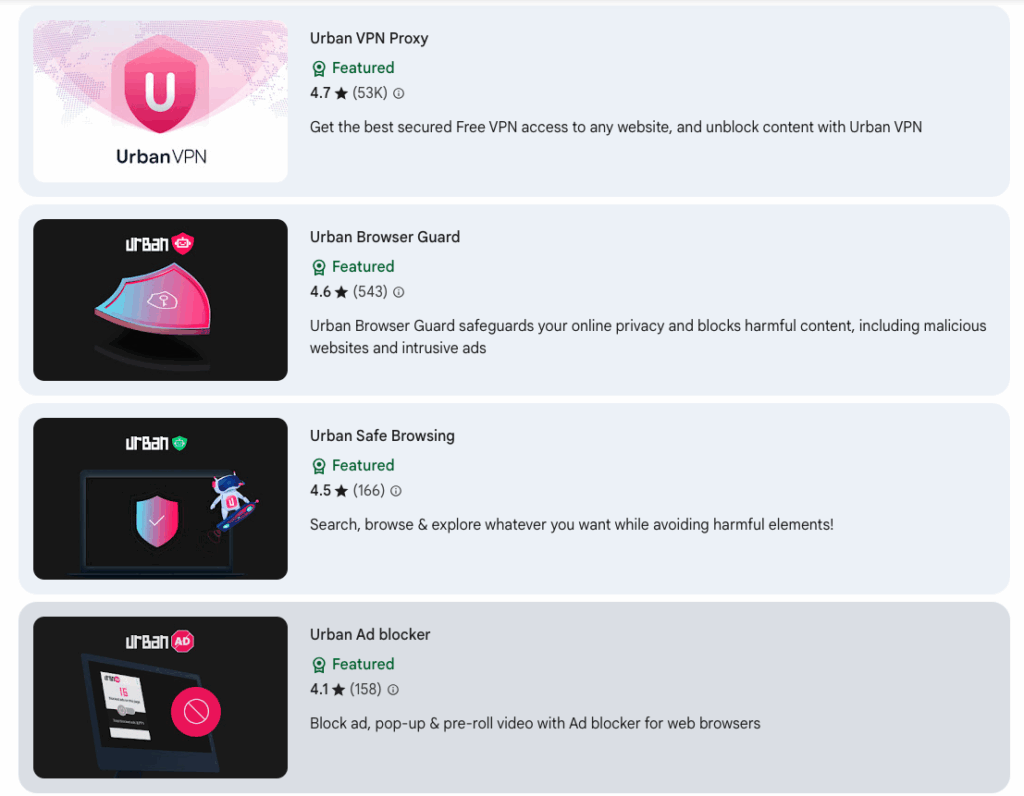
In addition to the core VPN service, Urban VPN offers several free browser extensions and tools designed to enhance your online security and improve your browsing experience:
🔒 Urban VPN Proxy
The main VPN extension that gives you secure and free access to any website, helping you unblock restricted content. Perfect for quickly masking your IP address directly in the browser.
🛡 Urban Browser Guard
An extension that protects your online privacy and blocks harmful content. Browser Guard stops malicious websites, phishing attempts, and intrusive ads before they even load.
🌐 Urban Safe Browsing
A security add-on that lets you search, browse, and explore freely while avoiding harmful elements. Safe Browsing helps keep you protected even on less trustworthy websites.
🚫 Urban Ad Blocker
A free ad blocker extension for browsers that blocks ads, pop-ups, and pre-roll videos. A simple way to make your browsing faster, cleaner, and more private.
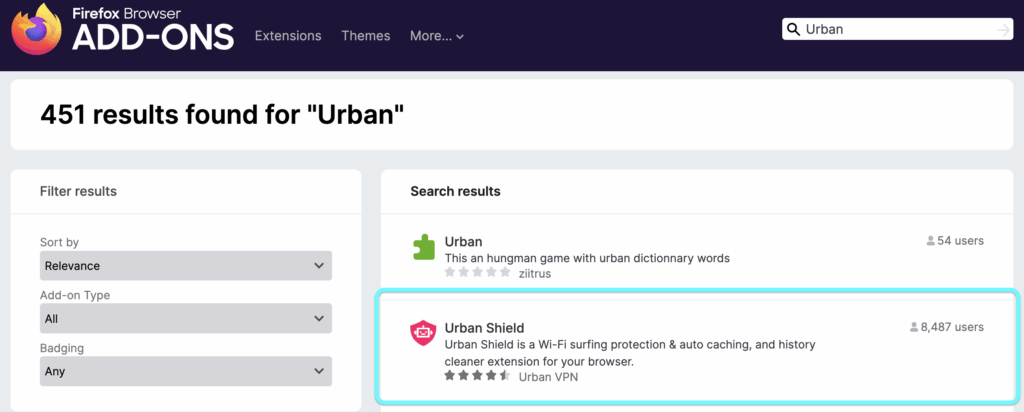
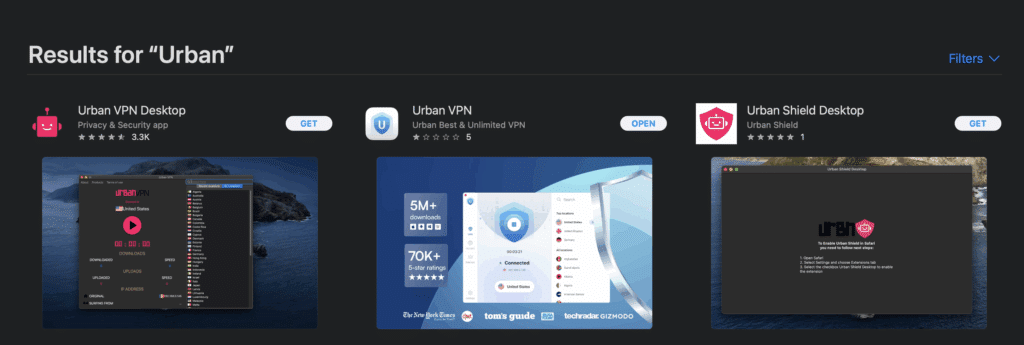
From your preferred browser, search for “Urban” to see which tools are available, depending on the browser you’re using, you may see that you have more or less options. To get the most out of the free tools offered, we recommend using Google Chrome as all tools are available on this browser.
Free Google Chrome Extensions
Free Firefox Extensions
Free Safari Extensions
Streaming, Gaming & Torrenting
- Streaming is hit-or-miss: Works with a few platforms (e.g., Disney+, Max), but fails with Netflix, Hulu, Amazon Prime Kit, BBC iPlayer
- Gaming not recommended: High latencies, lack of router/console support, and unstable connections make it impractical for gamers
- No torrenting support: The P2P architecture and lack of P2P file-sharing support make torrenting unreliable and risky
Urban VPN’s streaming capabilities are inconsistent. Some users have reported success with platforms like Disney+ or Max (formerly HBO Max), but most major streaming services-including Netflix, Hulu, Amazon Prime Video, and BBC iPlayer-are blocked. This inconsistency means Urban VPN cannot be considered a reliable streaming solution.
For gaming, the story is similar. The lack of router support and high latency on distant servers means it’s not a good fit for competitive play or even casual gaming where low ping is important. Gamers may also find the frequent disconnections disruptive.
When it comes to torrenting, Urban VPN is not recommended. Despite using a P2P network to function, the provider does not specifically support torrent traffic, and the unclear privacy stance makes downloading copyrighted files risky. Users looking for torrent-friendly VPNs would be better off with providers that offer clear no-logs policies and dedicated P2P servers.
User Experience & Support
- The interface is ultra-simple, appealing to beginners-but lacks advanced tools like kill switches or best-server selection
- Support is minimal-limited to FAQs and email contact, with no live chat or community forum
Urban VPN has a very simple interface that will appeal to beginners. Installation is quick, and connecting to a server is as easy as selecting a country and clicking “Connect.” The lack of complicated settings makes it approachable, but also limits control for advanced users-there’s no kill switch, no split tunneling, and no custom DNS options.
Customer support is limited to a short FAQ page and email contact form. There is no live chat or 24/7 support, which is standard among top-tier VPN providers. The limited support channels mean that troubleshooting can be slow, especially if you run into technical issues.
Final Verdict: UrbanVPN Review 2026
Urban VPN is a tempting freebie: easy to install, broad device support, and generous bandwidth and server coverage. Yet beneath the convenience lies a troubling reality-privacy risks, uneven performance, lack of basic VPN safeguards, and questionable transparency.
✅Who might consider it? Casual users wanting momentary IP masking for non-sensitive tasks.
👎🏼Who should avoid it? Anyone serious about privacy, streaming, gaming, or reliable performance.
In the crowded VPN space, Urban VPN stands out for convenience-but falls short for privacy.
Urban VPN – Pros & Cons
A quick snapshot of what Urban VPN does well—and where it falls short.
Pros
- Free on desktop with no signup and unlimited bandwidth
- Unlimited devices on desktop; easy one-click setup
- Wide location coverage with many countries available
- Browser extensions include ad-blocking & anti-phishing
- Basic leak tools and IP utilities available on the site
- Premium tier adds dedicated servers & up to 8 devices
Cons
- P2P network model can route others’ traffic via your IP
- Data collection & sharing in policy; no independent audits
- No kill switch or advanced features
- Inconsistent speeds especially on long-distance servers
- Streaming is unreliable major platforms often blocked
- Support is limited only FAQ & email available
Best offer: $0/month (Save 100% + Premium Plans from $2.36/mo)
30-day Money-Back Guarantee*
Urban VPN – Frequently Asked Questions
Yes. Urban VPN is 100% free for desktop users with no data caps or subscription fees. However, mobile users will need the Premium version to unlock all server locations and features.
Urban VPN uses encryption and leak protection, but it also operates on a peer-to-peer model and collects some user data. This may pose privacy risks compared to no-logs VPN providers.
Urban VPN can sometimes unblock smaller streaming platforms, but it is unreliable for major services like Netflix, Hulu, Amazon Prime Video, and BBC iPlayer.
The free plan offers unlimited bandwidth on a P2P network with 80+ locations. Premium adds 652+ dedicated servers, up to 8 device connections, and faster speeds, but the privacy policy remains the same.
Urban VPN does not officially support torrenting. Because of its P2P network design and privacy policy, it is not recommended for downloading copyrighted files.
Join the TechRobot Newsletter
Actionable tips on online security, the best VPNs, unblocking guides, and special offers — straight to your inbox.