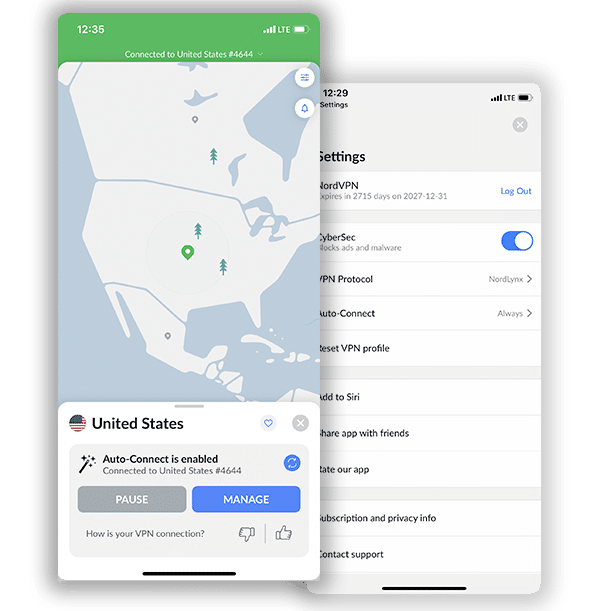
How to Get NordVPN Threat Protection Pro: Guide to Advanced Online Security
Complete guide to NordVPN Threat Protection Pro. Blocks malware, phishing sites & trackers. First VPN with anti-phishing certification.

🛡️ What is Threat Protection Pro?
Advanced anti-malware suite that blocks phishing sites, malware downloads, trackers & ads—works even without VPN connection active.
30-day money-back guarantee • No questions asked
What is NordVPN Threat Protection Pro?
NordVPN Threat Protection Pro is an advanced cybersecurity feature that goes beyond traditional VPN protection to safeguard your devices from multiple online threats. This comprehensive security solution combines anti-malware protection, ad blocking, tracker prevention, and phishing defense into a single integrated tool that works directly within the NordVPN application.
Unlike basic DNS filtering offered by many VPN providers, Threat Protection Pro operates at the URL and JavaScript levels to block tracking, phishing attempts, scams, malware, and intrusive advertisements. What sets this feature apart is its ability to function independently of your VPN connection, providing continuous protection even when you’re not connected to a VPN server.
NordVPN Threat Protection: Key Features and Capabilities
Real-Time Malware Protection
Threat Protection Pro automatically scans downloads for malware and blocks malicious files before they reach your device. The system employs both standard scanning and an optional cloud-based threat scanner that can execute suspicious files in a secure cloud environment to determine their safety.
Advanced Phishing Defense
The feature blocks access to fake websites designed to steal your personal information, displaying in-browser alerts when you attempt to visit pages known for fraud or scams. This protection has earned impressive recognition from cybersecurity experts.
Ad and Tracker Blocking
Threat Protection Pro eliminates annoying advertisements and prevents third-party trackers from monitoring your online activities, creating a cleaner and more private browsing experience.
App Security Vulnerability Checks
The system checks your installed applications for known security vulnerabilities, helping you identify potentially compromised software on your device.
URL Trimmer
This feature removes tracking parameters from web addresses, enhancing your privacy as you browse.
Industry Recognition and Certifications
NordVPN Threat Protection Pro has received multiple certifications from respected independent cybersecurity testing organizations:
- AV-Comparatives: Approved Threat Protection Pro as reliable anti-phishing software that effectively protects users from online scams, making NordVPN the first VPN provider to receive anti-phishing certification
- AV-Comparatives (Fake Shop Detection): Certified the feature as effective at detecting fake online shops, with detection rates between 80-90% for newly created fraudulent websites
- AV-Test: Rated Threat Protection Pro as the best anti-malware solution among VPNs offering similar functionality
- West Coast Labs: Determined the tool meets WCL antivirus standards for malware detection and remediation
How to Get Threat Protection Pro with NordVPN
1. Get a NordVPN Subscription That Includes Threat Protection Pro
Threat Protection Pro is not available as a standalone product but comes bundled with specific NordVPN subscription plans. Here’s how to access it:
Option 1: NordVPN Plus Plan
The Plus plan includes Threat Protection Pro, NordPass password manager, and a data breach scanner. This plan provides comprehensive security beyond basic VPN protection.
Pricing:
- 2-year plan: Starting at $3.89 per month (billed upfront)
- 1-year plan: Approximately $5.49 per month (billed annually)
- Monthly plan: Starting around $16.15 per month
Option 2: NordVPN Complete Plan
The Complete plan includes everything in the Plus plan, plus 1TB of encrypted cloud storage through NordLocker.
Pricing:
- 2-year plan: Starting at $4.89 per month (billed upfront)
- 1-year plan: Starting at $6.49 per month (billed annually)
- Monthly plan: Starting around $14.99 per month
Option 3: NordVPN Prime Plan
The Prime plan offers the most comprehensive security package, including all features from previous plans plus personal data removal services.
Pricing:
- 2-year plan: Starting at $6.89 per month (billed upfront)
- 1-year plan: Starting at $8.49 per month (billed yearly)
- Monthly plan: Starting around $17.99 per month
Note on Basic Plan
The NordVPN Basic plan only includes standard Threat Protection (not Pro), which provides DNS-level filtering to block malicious websites but lacks the advanced features of Threat Protection Pro.
Get Threat Protection with NordVPN!
Step-by-Step: How to Activate Nord Threat Protection Pro
Step 1: Choose Your Subscription Plan
- Visit the official NordVPN website
- Navigate to the pricing page
- Select a plan that includes Threat Protection Pro (Plus, Complete, or Prime)
- Choose your subscription length (2-year plans offer the best value)
Step 2: Complete Your Purchase
- Enter your email address
- Select your preferred payment method (credit card, PayPal, Google Pay, cryptocurrencies, or other regional options)
- Complete the transaction
- Check your email for confirmation and account details
Step 3: Download and Install NordVPN
Threat Protection Pro is available on Windows 10/11 (64-bit) and macOS 12 Monterey or newer versions.
For Windows:
- Download the NordVPN application from the official website
- Run the installer and follow the setup instructions
- Log in using your account credentials
For macOS: Download the sideloaded version directly from NordVPN’s website (not the App Store version), as Threat Protection Pro is not available on the App Store version
Step 4: Enable Threat Protection Pro
On Windows or macOS:
- Open the NordVPN application
- Click the shield icon in the left-side menu to access Threat Protection Pro settings
- Toggle the switch to enable Threat Protection Pro features
- Configure individual features according to your preferences:
- Block malicious websites
- Ad blocker
- Web tracker blocker
- URL trimmer
- Anti-malware (with optional cloud-based scanning)
For macOS users: You’ll need to grant Full Disk Access permissions by navigating to System Settings > Privacy & Security > Full Disk Access and enabling the toggle for NordVPN Threat Protection Pro
Get Threat Protection with NordVPN!
Device Compatibility
Currently Supported:
- Windows 10 and Windows 11 (64-bit)
- macOS 12 Monterey and newer (sideloaded app only)
Limited Support: Android, iOS, and Linux devices, as well as Chrome, Firefox, and Edge browser extensions, only support the basic Threat Protection feature (not Pro)
Threat Protection Pro vs. Standard Threat Protection
Understanding the difference between the two versions helps you make an informed decision:
| Feature | Threat Protection (Basic) | Threat Protection Pro (Plus/Complete/Prime) |
|---|---|---|
| Blocking Method | DNS-level filtering | URL and Javascript-level blocking |
| VPN Connection Required | Yes | No – works independently |
| Malware Scanning | No | Yes – active download scanning |
| Cloud-based Threat Analysis | No | Yes (optional) |
| Phishing Protection | Basic domain blocking | Advanced URL-level detection |
| Ad Blocking | Basic | Advanced with machine learning |
| Tracker Blocking | Limited | Comprehensive |
| App Vulnerability Checks | No | Yes |
| Fraud and Scam Alerts | No | Yes |
Pricing Considerations and Money-Back Guarantee
Finding the Best Value
Long-term subscriptions provide the most economical pricing. The 2-year plans typically offer 60-70% savings compared to monthly subscriptions and often include bonus months during promotional periods.
Best offer: $3.39/month (Save 70%)
30-day money-back guarantee
Risk-Free Trial Period
All NordVPN plans come with a 30-day money-back guarantee, allowing you to test Threat Protection Pro without financial risk. If you’re unsatisfied within the first 30 days, you can request a full refund through NordVPN’s customer support.
Student Discounts
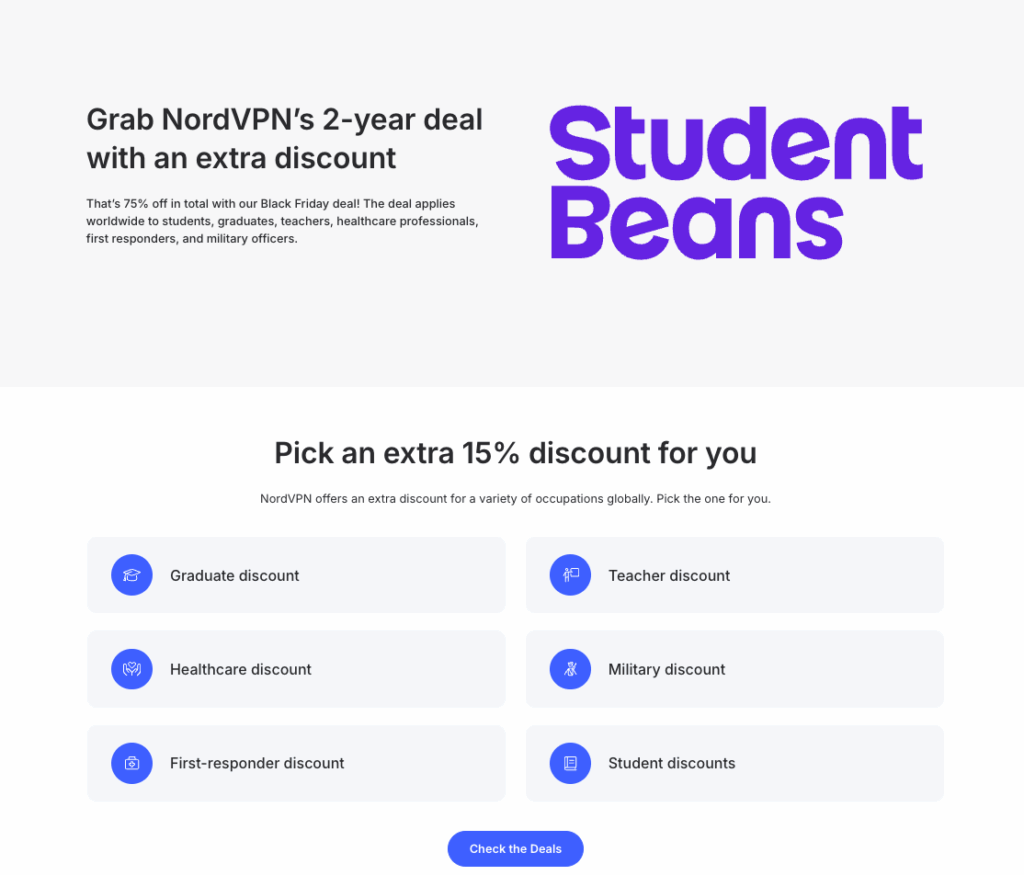
Students enrolled in educational institutions can access additional discounts (typically 15% off) by verifying their status through Student Beans or similar verification platforms.
➡️ Learn more about NordVPN pricing & subscription options available in 2026!
How Threat Protection Pro Works in Practice
Daily Protection Scenarios
Safe Browsing: As you navigate the web, Threat Protection Pro continuously analyzes URLs and webpage elements, blocking access to suspicious sites before your browser fully loads them.
Download Safety: When you download files, the system scans them immediately and deletes malicious content before it reaches your device.
Advertisement Removal: Intrusive ads are blocked at the source, reducing page load times and eliminating potential malvertising threats.
Privacy Enhancement: Tracking scripts and data collection tools are prevented from monitoring your online activities.
Performance Impact
Threat Protection Pro is lightweight and integrated directly into the NordVPN app, working with minimal impact on your device’s performance.
Customizing Your Protection Level
Threat Protection Pro offers flexible settings to match your specific security and privacy needs:
For Maximum Security
Enable all features, particularly “Block malicious websites” and “Anti-malware,” to create the strongest defense against cyber threats.
For Privacy-Focused Browsing
If privacy is your primary concern, activate “Web tracker blocker,” “Ad blocker,” and “URL trimmer” while adjusting malware blocking based on your risk tolerance.
For Clean Browsing Experience
Users primarily interested in removing advertisements can enable just the “Ad blocker” feature, though security experts recommend keeping malware protection active.
Get Threat Protection Pro with NordVPN!
Additional Security Benefits with Higher-Tier Plans
NordPass Password Manager (Plus and Above)
Securely store and manage passwords across all your devices, with automatic form filling and breach monitoring.
Data Breach Scanner (Plus and Above)
Receive alerts if your email addresses, passwords, or credit card information appears in known data breaches.
1TB Encrypted Cloud Storage (Complete and Above)
Store sensitive files securely with end-to-end encryption through NordLocker.
Personal Data Removal (Prime Plan)
Automated service that removes your personal information from data broker databases and people-search websites.
Regional Availability and Payment Options
Global Availability
NordVPN Threat Protection Pro is available in most countries where NordVPN operates, with some plan variations depending on your location.
Payment Methods
NordVPN accepts diverse payment options, including:
- Major credit and debit cards (Visa, Mastercard, American Express, Discover, Maestro)
- Digital wallets (PayPal, Google Pay, Apple Pay, Amazon Pay)
- Cryptocurrencies (Bitcoin, Ethereum, Ripple, and others)
- Regional payment methods (Sofort, iDEAL, bank transfers)
Cryptocurrency payments offer the highest level of anonymity for privacy-conscious users.
Making Your Decision: Threat Protection Pro vs Basic
Who Should Upgrade to Threat Protection Pro?
Ideal candidates include:
- Frequent online shoppers who need protection against fake e-commerce sites
- Business professionals handling sensitive information
- Users who regularly download files from the internet
- Privacy-conscious individuals seeking comprehensive tracker blocking
- Anyone wanting integrated security without multiple separate applications
Who Might Stick with Basic Threat Protection?
The basic Threat Protection feature may suffice if you:
- Only need fundamental website blocking at the DNS level
- Always maintain an active VPN connection
- Have separate, comprehensive antivirus software
- Primarily use NordVPN for streaming and basic privacy needs
How To Get Started Today with Threat Protection Pro from NordVPN
To begin protecting your online activities with Threat Protection Pro:
- Visit NordVPN‘s official website and review current pricing offers
- Select a Plus, Complete, or Prime plan based on your security needs and budget
- Choose your subscription length – longer commitments provide better value
- Complete your purchase using your preferred payment method
- Download the application for Windows or macOS
- Enable Threat Protection Pro through the shield icon in the app
- Customize your settings to match your security preferences
Conclusion
NordVPN Threat Protection Pro represents a significant advancement in VPN-integrated security features, combining multiple protective layers into a single, user-friendly solution. In independent testing, Threat Protection Pro blocked 78% of phishing sites and 56% of malware domains, outperforming competing VPN-based security tools.
By upgrading to a NordVPN plan that includes Threat Protection Pro, you gain access to enterprise-grade security features powered by machine learning and cyber threat intelligence. The relatively small price difference compared to the Basic plan makes this upgrade highly cost-effective for users seeking comprehensive online protection.
With certifications from leading cybersecurity organizations, continuous updates to threat databases, and the convenience of integrated protection that works independently of your VPN connection, Threat Protection Pro delivers substantial value for anyone serious about online security and privacy.
Remember that all NordVPN subscriptions include a 30-day money-back guarantee, giving you ample time to test Threat Protection Pro and determine if it meets your security needs. Given the increasing sophistication of online threats, investing in proactive protection has become essential for safe digital living.
Get Threat Protection Pro Today!
Note: Pricing and features are subject to change. Always verify current offerings on NordVPN’s official website.
Frequently Asked Questions: Nord Threat Protection Pro
Threat Protection Pro provides robust protection against online threats, including malware detection during downloads and phishing prevention. However, it’s a proactive tool that blocks threats during download and browsing but cannot remove malware from an already infected device. For comprehensive security, consider using it alongside traditional antivirus software that offers full system scanning and removal capabilities.
Yes. Threat Protection Pro works without being connected to VPN servers, unlike the basic Threat Protection feature. This means you receive continuous protection whether or not you’re actively using the VPN.
While false positives are rare, you can temporarily disable blocking for specific trusted sites or add them to your allowlist without turning off the entire feature.
Currently, the full Threat Protection Pro experience is only available on Windows and macOS. Mobile devices receive the basic Threat Protection feature with limited functionality.
The feature uses minimal data for its operations, primarily for updating threat databases and performing cloud-based scans when enabled.
Related Posts
- NordVPN Review | October 2026
- How Much Does NordVPN Cost in 2026? All Updated Plans and Pricing
- NordVPN Coupon and Discount Code 2026 | Get [provider_information provider_name="nordvpn - en" information="save 2y"] Off NordVPN
- NordVPN Black Friday 2025: Save Big NordVPN Threat Protection
- NordPass Review 2026: Best Password Manager vs Top Competitors | Full Guide + Pricing Breakdown
- NordVPN Duo: All About the New Two-User Plan – Pricing, Features & More!
- Cookie Theft: The Silent Cyber Threat You Need to Know About
- How to Cancel NordVPN in 2026
- How to Set Up and Use NordVPN on Xbox Series X
- What is NordVPN’s SmartPlay – An In-Depth Look