NordPass Review 2026: Best Password Manager vs Top Competitors | Full Guide + Pricing Breakdown

ℹ️ NordPass – What You Need to Know
- ✅ NordPass is a modern, secure password manager using zero-knowledge architecture and XChaCha20 encryption, ideal for individuals, families & businesses.
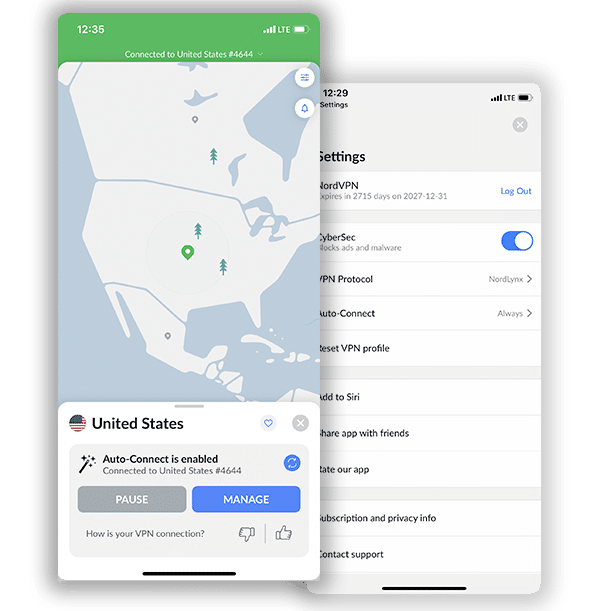
- 🎁 Included free with NordVPN Plus, Complete & Prime – you get a full password manager bundled with your VPN, no extra subscription needed.
- 📱 Works everywhere you do – apps for Windows, macOS, Linux, Android, iOS and all major browsers, with autofill and multi-device sync.
- 🛡️ Stronger digital hygiene – password health checks, breach scanner, secure sharing and passkey support help lock down your accounts.
- 🥊 Competitive vs 1Password & Bitwarden – not as feature-dense as 1Password or as “open-source” as Bitwarden, but excellent value, especially in the NordVPN bundle.
Get NordPass for Free on Select Plans!
What is NordPass
NordPass is a cloud-based password vault and credential manager. In simple terms: you store your login credentials, sensitive notes, payment cards, passkeys, and other “secrets” in an encrypted vault, and NordPass helps you generate strong passwords, autofill them, sync across devices, share securely (in some plans), and monitor for breaches.
- NordPass was launched around 2019 by the team behind NordVPN.
- NordPass supports all major platforms (Windows, macOS, Linux, iOS, Android)
- NordPass offers browser extensions (Chrome, Firefox, Edge, Brave, Opera, Safari) so you can use it on desktop + mobile + browser
In other words: it aims to provide both security (strong encryption + “zero knowledge” architecture) and usability (cross‐device sync, autofill, etc) for both individual and business users.
Key Features of NordPass & What They Offer
NordPass practically eliminates the risk of data breaches & cyber attacks by securely storing all your credentials in an encrypted vault, generating strong passwords, and automatically filling them when you need them. Beyond convenience, they offer layers of protection that reduce the risk of account takeover and identity theft. NordPass builds on this foundation with a modern, user-friendly design backed by advanced security architecture, making it a powerful tool for anyone looking to strengthen their online security posture. Below are the core features that set NordPass apart and show exactly what it brings to the table.
Security / encryption / trust
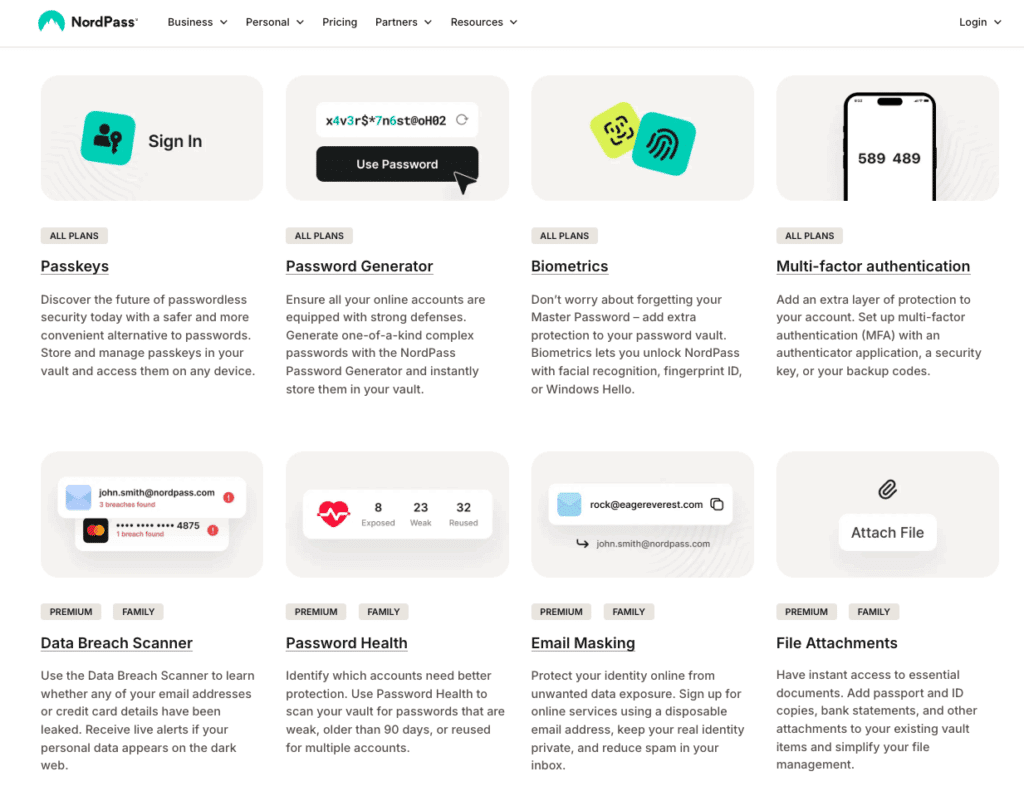
- NordPass uses XChaCha20 encryption algorithm (a variant of ChaCha20) for the vault.
- It adopts a zero-knowledge architecture, meaning the data in your vault is encrypted on your device, so NordPass (or the company) cannot read your passwords.
- Multi-factor authentication (MFA) support (so you can protect your master account).
- Biometric login support (e.g., Face ID, fingerprint) on devices that allow it.
- Passkey support: NordPass supports passkeys (passwordless logins) in at least some of its plans.
- Data breach scanning/monitoring: this feature scans whether your credentials or email have appeared in data breaches.
Password & vault management
- Unlimited storage of passwords, passkeys, personal info, etc (including on paid plans; even the free plan claims “no limit on number of passwords/sensitive items” in some contexts).
- Password generator: to create strong, unique passwords.
- Autofill of credentials and form-fill (login credentials, credit card info, shipping/address) via browser extension and apps.
- Sync across multiple devices (depending on plan) so your vault is available on desktop + mobile + browser.
- Secure sharing: ability to share credentials or vault items securely with trusted contacts (in some plans).
- Password Health & security audit: identifies weak, reused, or old passwords and helps you clean them up.
- Email masking (in select plans) – you can mask your real email when signing up for services to reduce spam/phishing risk.
Platform & usability
- Apps available on major OSes: Windows, macOS, Linux, Android, iOS.
- Browser extensions are supported across major browsers.
- Easy setup: import existing passwords from other managers or browsers, create master password, vault setup etc.
- Works offline in some capacity (you can access your vault even when offline).
Business & team features
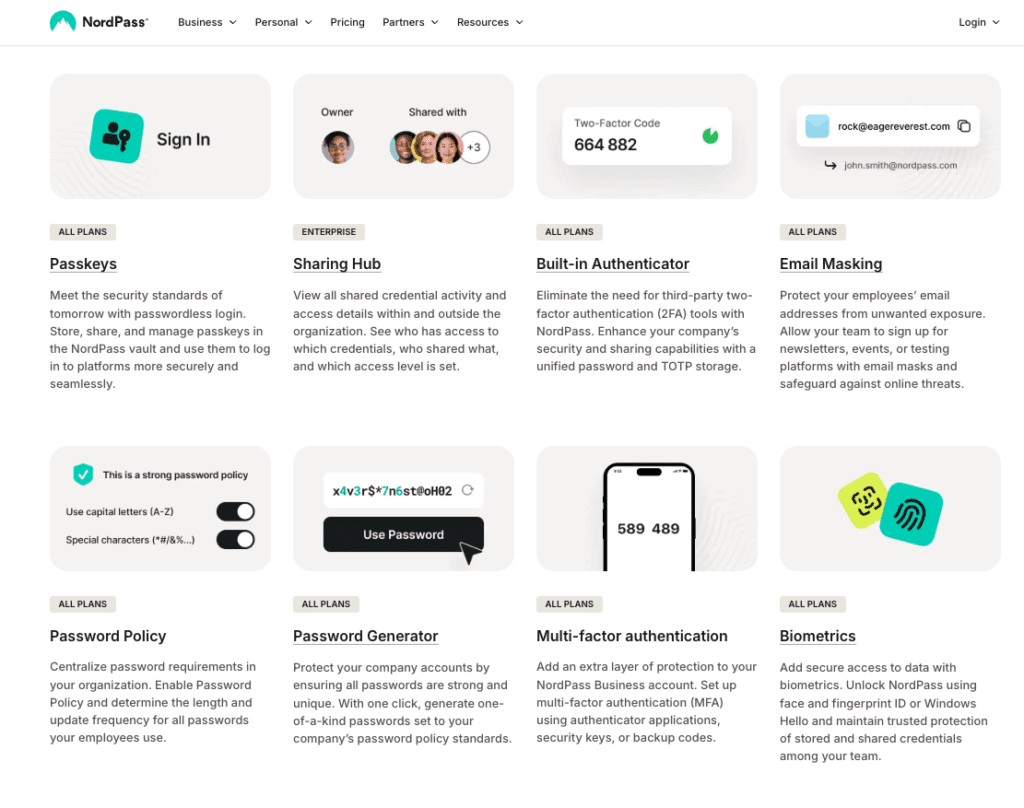
- They offer business plans (teams, enterprise) with features like: centralized admin dashboard, shared folders, activity logs, password policy enforcement, identity-provider integration (Okta, Google Workspace, etc).
- Compliance + auditing: For business users, you get more control and oversight of vault usage.
NordPass Plans & Pricing at a Glance
Pricing Snapshot & Considerations
Personal tiers:
- Premium plans start at $0.99/month
- Family plans start at $1.89/month per user
- Multi-year commitments typically offer better value
- 30-day money-back guarantee
Business tiers:
- Teams Plans start at $1.79 per user/month,
- Enterprise plans start at $5.39 per user/month
- Multi-year commitments typically offer better value
- Business plans currently offer a 14-day free trial
Personal / Individual & Family Plans
NordPass offers three primary tiers for personal users: Free, Premium, and Family.
Here’s a breakdown of what each offers:
NordPass Free Plan
- No cost.
- Unlimited storage of passwords, passkeys, and secure notes for 1 user
- Basic functionality: autosave & autofill of credentials, personal vault accessible on one active session/device
- Good for solo users on a budget who want core password-vault functionality.
NordPass Premium Plan
- Paid tier (annual or multi-year commitments typically offer the best value).
- Current best offer = $0.99/month + 3 months extra
- Includes: Unlimited devices, syncing across devices, and more advanced features such as:
- Ideal for individual users who want full features and multi-device coverage.
NordPass Family Plan
- Covers multiple users (up to 6 vaults/users)
- Pricing is higher than Premium, but the cost per user becomes favorable when multiple family/logins are involved.
- Includes all features of Premium, plus shared vault and the ability to manage multiple separate vaults under one subscription.
- Great option for households that want to secure passwords for multiple family members in one package.

Business Plans (Teams, Business, Enterprise)
For organisations, whether small, medium or large, NordPass has a tiered business offering:
NordPass Teams Plan
- Designed for smaller companies or teams of up to 10 members/users
- Core features: encrypted team vaults, user management, basic password sharing and secure storage across the team.
NordPass Business Plan
- Mid-tier corporate plan aimed at organisations up to around 250 users.
- Adds features like: Shared Folders, Security Dashboard, Groups, Data Breach Scanner, more advanced admin controls.
- Useful for small-to-mid enterprises in the U.S., UK, EMEA, APAC who need centralized password management, policy enforcement, and auditing.
NordPass Enterprise Plan
- For large organisations, unlimited seats/users, advanced integrations (SSO with Azure AD/MS ADFS/Okta), on-boarding support, dedicated account manager.
- Ideal for global organizations needing single sign-on (SSO), user provisioning via Active Directory, compliance & admin-ready features.
NordPass Is Included Free With NordVPN Plus, Complete & Prime Plans
One of the biggest advantages of choosing NordVPN is that you can get NordPass included at no extra cost when you subscribe to the NordVPN Plus, Complete, or Prime plans. This means users don’t have to purchase a standalone password manager, instead, they get a fully functional, premium version of NordPass bundled directly into their VPN subscription. For anyone looking to elevate their online security, this bundle delivers exceptional value: encrypted password storage, passkey support, autofill features, data breach monitoring, and secure item sharing all come included.
Get NordPass for Free on Select Plans!
By combining NordVPN’s powerful privacy protections with NordPass’s modern password-management tools, subscribers gain a seamless, all-in-one cybersecurity suite that protects both their browsing activity and their digital credentials. This bundled setup makes NordVPN one of the few major VPN providers offering a complete digital security package, making it an attractive choice for users who want maximum protection at the lowest possible cost.
Why These Plans Matter
If you are reading this from the U.S., Canada, UK, Australia or any region where online security and password management are increasingly critical, here’s why these plan offerings are relevant:
- With cyber-attacks becoming more common globally, both individual users and businesses in the U.S. & English-speaking markets need to adopt robust password practices. Using a password manager like NordPass helps satisfy that need.
- The tiered plan structure means that whether you’re a solo user, family, small business or large enterprise, there is a plan tailored to your size and budget.
- For U.S. businesses, the Business and Enterprise plans offer features (shared folders, admin dashboards, SSO) that align with compliance/regulation demands (e.g., SOC2, ISO, enterprise password policies).
- For families: In the U.S., UK, and Canada, households often have multiple streaming logins, devices, and multiple users requiring password security; the Family plan addresses that at a per-user value.
- Cross-device sync is crucial in markets where users switch between desktop, laptop, mobile, and plans that support “unlimited devices” (Premium) provide flexibility.
- Global flexibility: even though pricing is listed in USD, NordPass supports local currency billing in many regions, which is useful for international users reading this article.
Integration With NordVPN Ecosystem
Because NordPass is developed by the same parent group behind NordVPN, there’s an inherent synergy:
- If you are already a NordVPN subscriber or evaluating NordVPN, adding NordPass becomes an easy complementary decision: one trusted brand for both VPN + password management.
- Bundling: On the personal plan page, it’s noted that you can add NordVPN to your security bundle when you upgrade/subscribe.
- For many users in the U.S. and abroad, going with the same vendor for VPN and password manager simplifies billing, account management, and trust.
Get NordPass for Free on Select Plans!
How to Pick the Right NordPass Plan (For You or Your Business)
For Individuals / Families
- Single user on limited devices? The Free plan may be sufficient to start.
- Want full device coverage + advanced features? Go Premium.
- Household with 2–6 users (parents + kids) or shared tablets/phones? The Family plan is likely the best value.
- Always check your local region’s price (USD vs local currency) and any long-term commitment discounts.
For Businesses
- Small team (< 10 users): Start with the Teams plan, evaluate ease of roll-out and admin controls.
- Growing SME (10-250 users): Business plan is likely the sweet spot – admin dashboard, shared folders, breach scanning.
- Large enterprise with global footprint, many users, complex identity management (SSO/Okta/Azure): Enterprise plan is advised.
- Trial first: Business plans offer a free trial (14 days) so you can test features, user onboarding, admin tools.
- Consider regulatory/compliance needs (SSO, audit logs, user provisioning) when selecting plan tier.
Benefits: Why Use NordPass
Here are the main benefits you’ll get by using NordPass:
- Improved security: Using unique, strong passwords for each account is best practice; a password manager makes that feasible. NordPass helps you generate and store these.
- Reduced cognitive load: Instead of remembering dozens or hundreds of different passwords (many users reportedly have 100s of accounts), you only need to remember one “Master Password” (plus maybe MFA).
- Convenience: Autofill and sync across devices make logging in faster and smoother.
- Cross-platform availability: Because it works on all major devices/browsers, you can use it whether you’re on a desktop, laptop, phone, or tablet.
- Business readiness: For teams or organizations, having a central tool for password management helps enforce policies, reduce the risk of credential leakage, and monitor use.
- Advanced features: Breach monitoring, password health checks, email masking, passkey support – those are features that go beyond “just store passwords”.
- Strong encryption and privacy-focused: With a zero-knowledge architecture, you get greater reassurance that your vault is only accessible to you.
- Good value: Many reviewers think the pricing is reasonable for what you get.
NordPass vs 1Password & Bitwarden
To help you quickly understand how NordPass stacks up against its strongest competitors, the following comparison chart highlights the core features, security benefits, pricing value, and overall usability of the top password managers on the market.
Whether you’re evaluating NordPass as part of a broader NordVPN ecosystem or simply looking for the best solution for personal or business use, this chart offers a clear, side-by-side look at what each brand delivers. Get an immediate snapshot of strengths, trade-offs, and standout capabilities so you can choose the password manager that fits your needs, budget, and security standards.
| Feature / Benefit | NordPass | 1Password | Bitwarden |
|---|---|---|---|
| Encryption & Architecture | Uses XChaCha20-Poly1305 encryption and a zero-knowledge model. | Uses AES-256 encryption, plus a “Secret Key” and zero-knowledge vault architecture. | Uses AES-256 (or AES-CBC/AES-256 depending on context) with zero-knowledge architecture; open-source code. |
| Free Plan Available | Yes (free tier) | No true free (only free trial) | Yes – robust free version with unlimited items/devices in many cases. |
| Multi-Device & Sync | Unlimited devices on premium; cross-platform support. | Unlimited devices, excellent cross-platform support. | Unlimited devices/devices sync included; strong cross-platform. |
| Password Health / Breach Monitoring / Additional Security Features | Includes password health check, breach scanner, email-masking (depending on plan) for NordPass. | Includes “Watchtower” (security alerts), travel mode, secure sharing, strong business features. | Includes essential features, password generator, reporting in premium tier; open-source code gives transparency. |
| Business / Team Features & Enterprise Readiness | Offers business plans with admin dashboards, SSO integration, team vaults, etc. | Strong business/enterprise offerings with advanced admin/permissions, integrations, auditing. | Business options available, very good value; less “glossy” UI or luxury features but strong value. |
| Price / Value Proposition | Competitive pricing; free tier, multi-year discounts; strong value when bundled with NordVPN. | Slightly higher cost, no permanent free tier; but premium experience. | Excellent value especially for budget or open-source fans; free tier is a big plus. |
| Usability / User Experience | Modern UI, good for individuals/families; cross-platform support. Some reviewers cite slower rollout of niche features. | Very polished UI, considered among the easiest for families/teams; includes standout features. | Functional, open-source, “less flashy” UI but strong under the hood; may require a bit more tech-savvy. |
| Key Differentiator | Unique XChaCha20 encryption; email masking; strong integration with NordVPN ecosystem. | Premium feature set (Travel Mode, extensive sharing, enterprise readiness) | Open-source transparency, very strong free tier, best value for budget users |
Summary & Takeaways: NordPass vs 1Password & Bitwarden
- NordPass stands out for being very aligned with NordVPN’s brand (security, simplicity, modern encryption) and offers excellent value, especially if readers already use or are considering NordVPN.
- 1Password is a strong competitor, great for users (or families/businesses) willing to pay a bit more for a more “premium end-to-end experience” with lots of features.
- Bitwarden is the value champion; if cost is a major concern or you prefer open-source solutions, Bitwarden is hard to beat.
- NordPass has very advanced team/enterprise features
Trade-Offs / Considerations
Before selecting your plan, here are some potential drawback to be aware of:
- The free plan has limitations (e.g., one device only, fewer features) compared to the paid.
- While NordPass offers many features, some competitors may offer more advanced options (especially in business/enterprise domain).
- As with any password manager, you need to secure your master password. If you lose it (and recovery options are limited), you could lose access to your vault. (General risk)
- Browser extension risk: As with all password managers, browser extensions can be a vector; good security hygiene is still required.
- For business users: the more advanced administrative/SSO features generally live at higher tiers/price points.
Verdict & Use Cases
In summary: NordPass is a strong contender in the password-manager space. It has solid security, modern encryption, zero-knowledge architecture, cross-platform support, and good pricing. It is especially well-suited for:
- Individual users who have many accounts and want to upgrade from reused/weak passwords.
- Families who want a shared vault and want to cover multiple users under one plan.
- Small to mid sized organizations seeking a manageable solution for credential management without overly expensive enterprise complexity.
Get NordPass for Free on Select Plans!
It may be less ideal if you are:
- A large enterprise needing extremely fine-grained policy controls, integrations, bespoke SSO/IdP setups (though NordPass does offer business plans, there may be higher-tier players).
- Someone who demands every fringe/security feature or maximum configurability (you may want to compare to other top Tier password managers).
- Reluctant to adopt a cloud-based vault (some power users prefer fully local/offline solutions).
Conclusion
The tiered plan structure of NordPass gives both individuals and businesses a clear roadmap: start free, upgrade for added features, expand to families or teams, scale up to enterprise-grade security. For readers in the U.S., UK, Canada, Australia and other English-speaking markets, it offers strong flexibility and value — especially when paired with the NordVPN ecosystem.
Learn more about the benefits of NordVPN in our in-depth review.
Get NordPass for Free on Select Plans!
Frequently Asked Questions (FAQ): NordPass 2026
Yes. NordPass Premium is included for free with the NordVPN Plus, Complete, and Prime plans. This means you get access to a fully featured password manager alongside your VPN subscription without paying extra.
If you want stronger password security, the answer is yes. NordVPN protects your internet connection, while NordPass protects your login credentials, digital notes, and payment details. Together, they create a powerful all-in-one cybersecurity setup that covers both privacy and identity protection.
NordPass uses modern XChaCha20 encryption, provides intuitive apps, offers strong security tools (like a data breach scanner), and integrates seamlessly with the Nord ecosystem. While competitors like 1Password offer premium extras and Bitwarden excels in open-source transparency, NordPass stands out for its value and ease of use, especially when bundled with NordVPN.
Absolutely. NordPass uses a zero-knowledge architecture, meaning only you can access your vault, not even Nord Security. All data is encrypted locally on your device, protected with XChaCha20-Poly1305 encryption and optional biometric login or MFA.
NordPass works across Windows, macOS, Linux, Android, iOS, and all major browsers, including Chrome, Firefox, Edge, Opera, Brave, and Safari. You can seamlessly sync passwords and autofill credentials across all your devices.
Yes. NordPass fully supports passkeys, allowing for secure, passwordless logins on supported websites and apps, making authentication both safer and more convenient.
Yes. On paid plans, and on bundled versions included with NordVPN, you can use NordPass on unlimited devices and sync your vault across all platforms.
Join the TechRobot Newsletter
Actionable tips on online security, the best VPNs, unblocking guides, and special offers — straight to your inbox.
Related Posts
- NordVPN Review | March 2026
- How Much Does NordVPN Cost in 2026? All Updated Plans and Pricing
- NordVPN Coupon and Discount Code 2026 | Get 70% Off NordVPN
- How to Get NordVPN Threat Protection Pro: Guide to Advanced Online Security
- NordVPN Black Friday 2025: Save Big NordVPN Threat Protection
- NordVPN Duo: All About the New Two-User Plan – Pricing, Features & More!
- Cookie Theft: The Silent Cyber Threat You Need to Know About
- How to Cancel NordVPN in 2026
- How to Set Up and Use NordVPN on Xbox Series X
- What is NordVPN’s SmartPlay – An In-Depth Look